
The ultimate guide to choosing a scientific calculator in 2025 categorizes models into entry-level, mid-range, and advanced types, emphasizing features like MathPrint displays, intuitive interfaces, and durable designs for students and professionals. It addresses exam compliance for SAT, ACT, and AP tests, along with course-specific tools for algebra, statistics, and calculus. Display options, battery longevity, and brand comparisons—such as Casio’s natural displays versus Texas Instruments’ advanced functions—ensure informed selections. Subsequent sections reveal detailed model evaluations and expert tips.
Key Takeaways
- Consider the calculator type based on user needs, such as entry-level models for students or advanced options for engineering tasks.
- Ensure exam compliance by selecting models like TI-30XS MultiView that meet SAT, ACT, and AP guidelines.
- Prioritize key features like multi-line displays, intuitive interfaces, and functions for trigonometry and statistics.
- Evaluate display options and power sources, such as solar-battery hybrids for better durability and longevity.
- Compare brands like Casio and Texas Instruments for advanced functions, focusing on affordability and specific capabilities.
Types of Scientific Calculators

Scientific calculators are broadly categorized into several types based on functionality and user requirements, including entry-level models for basic computations, mid-range options with enhanced statistical and matrix capabilities, advanced engineering variants for complex problem-solving, specialized display technologies for improved readability, and energy-efficient designs for long-term reliability. For example, graphing calculators typically include features like trigonometric functions for advanced mathematical operations. Types of calculators have undergone historical evolution, from simple devices to those incorporating advanced features like matrix operations and high-resolution displays. User demographics vary, with entry-level models appealing to cost-conscious students for exam needs, as reflected in user reviews praising TI-30XS for its simplified interfaces and pricing options around $10–$20. Brand comparisons often highlight Casio versus TI for mid-range reliability, while market trends indicate rising demand for advanced features in engineering fields. For purchase tips, evaluate user demographics and budget against online resources such as Amazon reviews and educational sites to compare pricing options and energy efficiency. For instance, popular models are permitted on tests including SAT, ACT, AP, PSAT/NMSQT, and International Baccalaureate exams.
Key Features to Prioritize
When choosing a scientific calculator, key features such as advanced displays for enhanced readability and intuitive interfaces merit prioritization based on user needs. Calculator pricing varies by model, influencing access to premium displays like multi-line WriteView, while durability ratings guarantee long-term reliability through protective casings and hybrid power sources. These elements balance cost with functionality for diverse applications. Additionally, features like Natural Textbook Display enhance usability for students across various educational levels.
- Advanced Display Options: Textbook-style MathPrint and multi-line displays enable simultaneous input viewing, improving accuracy without inflating pricing.
- Intuitive Interface Design: Icon-based keyboards and engineering notation toggles facilitate navigation, enhancing user efficiency at competitive durability ratings.
- Core Mathematical Functions: Inclusion of trigonometry, fractions, and statistics supports practical use, with pricing reflecting essential versus advanced capabilities. Many models, such as the Casio FX-115ES PLUS, offer over 280 functions for handling statistics and complex calculations.
- Durability and Power Features: Hybrid solar-battery models and protective casings offer high durability ratings, extending device life while maintaining affordable pricing options.
Student-Focused Considerations
Students evaluating scientific calculators should prioritize models that align with exam standards, such as SAT and ACT approvals, while integrating tools for learning and development. For instance, models like the TI-30XS MultiView comply with exam guidelines and offer MathPrint™ for enhanced math notation formatting, facilitating error identification and complex equation solving. Function accessibility remains essential, with features like multi-line displays and WriteView technology enabling intuitive navigation of operations, as seen in the Sharp EL-W516TBSL, which supports matrix analysis and polynomial roots.
Student affordability influences choices, with entry-level options like the Casio FX-115ES providing sufficient capabilities for basic STEM exams at a lower cost, ensuring long-term value through durable construction and energy-efficient designs. Similarly, the WHSmith Scientific Calculator serves as another budget-friendly alternative, boasting over 224 functions and approval for all UK calculator exams. These factors promote accessibility, allowing students to select calculators that balance budget constraints with reliable performance, such as solar-powered hybrids that minimize maintenance and environmental impact. Overall, prioritizing these aspects supports effective academic preparation. (165 words)
Top Models in 2025
In 2025, leading scientific calculators from brands like Casio, Texas Instruments, and Sharp showcase advanced capabilities tailored to educational and professional needs, including high-resolution displays, graphing tools, and budget-friendly designs. Calculator trends emphasize integration of graphing and computational features to meet evolving user preferences for efficiency in STEM fields, with models prioritizing durability, affordability, and multifunctional interfaces.
- Casio FX-991EX ClassWiz: Reflects trends in high-resolution screens and extensive functions, aligning with user preferences for cost-effective student tools.
- TI-36X Pro: Addresses user preferences for budget-friendly, user-friendly designs suitable for middle school to college math, amid trends for accessible technology.
- Casio fx-9750GIII: Highlights graphing trends with advanced plotting and programming, catering to preferences for dynamic equation handling in advanced studies.
- Sharp EL-W516TBSL: Showcases precision in high-digit computations and statistical analysis, responding to user preferences for robust engineering applications.
Course-Specific Recommendations
Course-specific recommendations for scientific calculators include algebra calculators for efficient equation solving and variable manipulation in foundational math courses. AP models, such as those approved for Advanced Placement exams, prioritize features that align with exam protocols and enhance performance in subjects like physics and environmental science. Statistics tools, with capabilities for probability simulations and data analysis, support rigorous coursework in mathematics and research-oriented disciplines.
Algebra Calculators
Algebra calculators stand out for their specialized features, such as equation solving, matrix operations, and graphing capabilities, making them ideal for algebra-focused courses and exams. These tools excel in polynomial features for managing quadratic, cubic, and higher-degree equations, while integrated graphing tools enable clear visualization of functions, enhancing problem-solving efficiency.
- Equation Solving and Polynomial Features: Models like the TI-36X Pro offer step-by-step solutions for polynomial equations, facilitating factorization and root finding.
- Matrix Operations for Linear Algebra: Devices such as the Casio fx-115ESPLUS2 perform matrix addition, multiplication, and inversion, supporting systems of equations.
- Graphing Tools: Basic graphing capabilities visualize polynomial and rational functions, aiding in function analysis and graphing.
- Advanced Algebra Support: Features like linear systems solving for 3×3 matrices and solver tools provide precise handling of complex equations in educational contexts.
AP Models
AP models offer course-specific calculator recommendations to meet the rigorous demands of Advanced Placement (AP) exams, emphasizing compliance with College Board guidelines. For science exams like Biology, Chemistry, Physics, and Environmental Science, AP exam requirements allow 4-function, scientific, or graphing calculators in most sections, excluding Chemistry’s Section 1 multiple-choice, where they are prohibited. Calculator specifications must include essential scientific functions such as exponents, roots, and trigonometry to handle computations effectively. In Calculus AB/BC and Precalculus, graphing calculators are mandated for specific sections, supporting features like function plotting, maxima/minima detection, and matrix operations. Prohibited elements, including QWERTY keyboards and stylus input, guarantee adherence to calculator specifications, while touchscreen models are permitted for digital exams, promoting equitable access. Students should prioritize devices that align with these standards to avoid exam disruptions.
Statistics Tools
Statistics tools equip students across disciplines with essential functions for data analysis, including 1- and 2-variable statistics, standard deviation, and regression analysis to handle core computational needs, enhancing statistical analysis and data visualization in academic settings.
- Pre-Calculus/Calculus: Students employ integration/differentiation tools for advanced statistical analysis of complex datasets, integrating scientific constants to visualize trends accurately.
- Combinatorics: Tools like nCr and nPr enable precise statistical analysis of probability distributions, facilitating data visualization through combinatorial simulations.
- Mechanics/Physics: Random number functions support statistical analysis in simulations, while metric conversions aid in data visualization for experimental data processing.
- Biology/Chemistry: Ratio calculations and inequality solving optimize statistical analysis of experimental results, allowing effective data visualization in research contexts.
Test-Permitted Models
Test-permitted models for scientific calculators depend on the specific examination, with restrictions ensuring fairness and security. For CFedS exams, only Casio fx-115/fx-991, HP 33s/35s, and TI-30X/TI-36X models are allowed, reflecting calculator limitations that prohibit programmability and internet features. SOA exams approve TI-30Xa, TI-30XS MultiView, and BA II Plus Professional models, emphasizing test taking strategies such as verifying annual updates. SAT/ACT permit graphing or scientific calculators but exclude prohibited devices, requiring modifications like covering infrared ports and removing stored programs to address calculator limitations. General policies across brands, including Casio and Hewlett Packard, mandate clear model labels and disable audio or printing capabilities. Students must align selections with these restrictions, consulting latest guidelines to optimize exam performance while adhering to prohibitions on alpha keypads and connectivity.
Display and Interface Options
Scientific calculators feature diverse display resolutions, such as multi-line and high-resolution dot matrix formats, which guarantee clear visibility of complex equations and symbols. Intuitive interfaces, like natural textbook displays, provide alignment that mirrors textbook layouts for enhanced user comprehension. Effective input methods, including key rollover and replay functions, streamline entry processes and minimize errors during calculations.
Display Resolutions
Display resolutions are a fundamental aspect of scientific calculators, influencing the clarity of graphs, equations, and interfaces. Display clarity, determined by pixel count, directly affects resolution impact, as seen in models like the Casio FX-9860GIII’s 128×64 dot matrix for detailed output. Higher resolutions enhance graphing and equation handling, while lower ones preserve efficiency in basic tasks.
- Casio FX-9860GIII offers 128×64 pixels, supporting advanced polar and parametric graphing for engineering needs.
- TI-80’s 48×64 pixels optimize limited screen space for algebra, ensuring readable line-by-line equations.
- QVGA (320×240) resolution improves text clarity in complex formulas, surpassing legacy low-column modes.
- VGA variants, such as 320×208, demonstrate compact adaptability for enhanced graphical representations in modern devices.
Intuitive Interfaces
Intuitive interfaces in scientific calculators streamline user interactions through features like multiple operating modes, which adapt to tasks such as angular measurements and calculations, as exemplified by the CS-121 model’s efficient tri-mode setup. User friendly navigation is achieved via logical command grouping, prioritizing essential functions per mode to minimize disruptions and enhance workflow efficiency. Clear labeling of primary operations, such as angular indicators, guarantees predictable behavior and reduces guesswork, aligning with educational needs. Interfaces incorporate automatic mode switching and consistent visual hierarchies, with large screens supporting simultaneous displays of equations and graphs for real-time analysis. These elements foster enhanced conceptual understanding, making devices accessible for diverse academic disciplines while maintaining standardized conventions. Overall, such designs optimize task-specific adaptations and accuracy.
Input Methods
Diverse input methods, including operator precedence systems and display options, optimize calculation accuracy in scientific tools. Operator hierarchy, such as AESH and AESP, streamlines complex inputs by enforcing precedence rules, reducing parentheses needs. Input challenges arise with immediate execution systems, requiring sequential entry that disrupts natural formula flow. Effective error handling and scientific notation features guarantee reliable results amid potential misinterpretations.
- Operator Hierarchy Systems: AESH prioritizes multiplication before addition, minimizing manual adjustments for efficient computations.
- Immediate Execution Challenges: Users face difficulties rearranging formulas, with memory buttons needed for intermediate steps, exacerbating input challenges.
- Error Handling Mechanisms: Immediate execution often yields nonsensical outputs instead of clear errors, complicating debugging in scientific tasks.
- Scientific Notation Displays: Norm and Sci modes automatically convert extreme values, using EXP keys for precise entry and enhanced readability in calculations.
Battery and Power Choices
Battery and power choices critically affect the performance and longevity of scientific calculators. Battery longevity depends on type, with AAA alkaline batteries typically lasting 1-2 years in models like TI-83 and TI-84, while silver oxide options, such as SR44, offer superior power efficiency and extended shelf life. Rechargeable batteries, available for TI graphing calculators, enhance power efficiency by reducing replacement needs and minimizing environmental waste, though charge cycles influence overall durability.
Backup batteries, like CR1616 in TI-73 Explorer, guarantee data integrity during changes, necessitating regular replacement every 2-3 years for reliability. Power efficiency features, such as adjustable screen brightness, mitigate drain from intensive use. Economically, rechargeables prove cost-effective over time compared to alkaline’s higher long-term expenses, promoting sustainable choices without increasing upfront costs.
Advanced Functions Overview
Scientific calculators encompass a range of advanced functions that support complex mathematical and scientific tasks. These devices integrate advanced trigonometric functions, such as sine, cosine, and their inverses, for accurate angular computations, alongside hyperbolic function applications like sinh and cosh for modeling phenomena in physics and engineering. Other capabilities include logarithmic operations, exponential calculations, and tools for complex numbers, enhancing precision in diverse fields.
Scientific calculators feature advanced trigonometric, hyperbolic, logarithmic, exponential, and complex number functions for precise scientific computations.
- Trigonometric versatility: Advanced trigonometric functions support core operations like tangent and inverses, with angle mode flexibility for degrees, radians, or gradians in calculations.
- Hyperbolic modeling: Hyperbolic function applications enable computations of sinh, cosh, and tanh, essential for advanced mathematical modeling in areas like signal processing.
- Exponential and logarithmic tools: Natural and common logarithms, along with e^x and 10^x functions, facilitate precise root calculations and equation solving for growth/decay scenarios.
- Complex numerical features: Processing of complex numbers, including moduli and conjugates, supports matrix algebra and base conversions for engineering-specific tasks.
Brand Comparisons and Selections
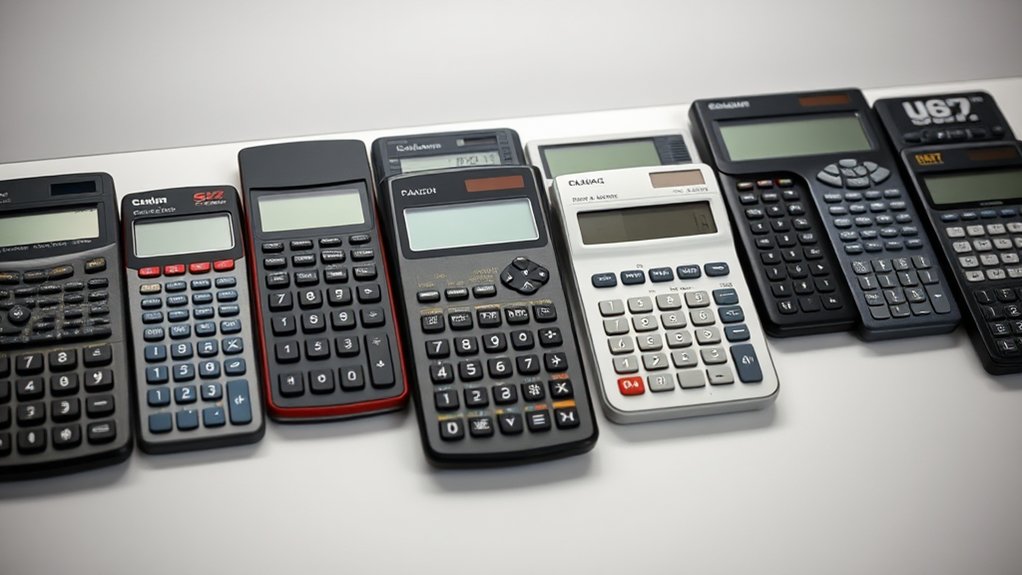
When evaluating scientific calculators, factors such as brand reliability, specialized features, and exam compatibility play essential roles in selection. Brand reliability, exemplified by Casio and Texas Instruments, guarantees durable performance in models like the FX-991EX and TI-36X Pro, which align with user preferences for exam-approved tools. User preferences often prioritize Casio’s natural textbook displays for everyday use or Texas Instruments’ advanced CAS functionality for symbolic math in higher education. Sharp and HP cater to engineering needs with features like backlit screens and ergonomic designs, enhancing usability in low-light conditions. Emerging brands, such as CATIGA and NEWYES, offer budget-friendly options with graphing and note-taking capabilities, appealing to cost-conscious users. Ultimately, selections hinge on balancing brand reliability with specific requirements, like solar power in NEWYES for extended battery life, providing ideal value across price points.
Frequently Asked Questions
How Long Do Scientific Calculators Typically Last?
Scientific calculators typically exhibit a lifespan of 2 to 10 years, influenced by factors like build quality and usage patterns. High-end models from reputable manufacturers often endure 5–10+ years, while cheaper ones may degrade within 2–5 years. To optimize calculator lifespan, maintenance tips include prompt battery replacements, regular cleaning to prevent dust accumulation, and protection from extreme temperatures or moisture, ensuring prolonged functionality.
Where Can I Find the Best Deals on Calculators?
Finding the best deals on calculators requires checking online retailers like Target, Best Buy, and Calculatorti.com, where prices range from $9.99 for basic models to discounted Texas Instruments graphing calculators. Discount codes from platforms such as Calculatorti.com offer up to 75% off, including $30 reductions on premium units. Seasonal sales, clearance events, and price comparisons further optimize savings opportunities.
Can Calculators Connect to Computers or Apps?
Calculators vary in calculator connectivity to computers and apps, with certain models like TI-84 Plus and TI-Nspire supporting USB or software-based links for data transfers and app integration. These features enable OS updates, app installations, and image imports, enhancing functionality. However, most basic scientific calculators lack such capabilities, restricting them to standalone use and limiting broader app integration options.
What Warranty Options Are Available for Models?
Warranty options for scientific calculator models typically include a 1-year limited warranty from manufacturers like TI and Casio, offering warranty coverage for defects in materials and workmanship. Exclusions encompass accidental damage, natural disasters, and improper use, with claims requiring proof of purchase and authorized service. Extended warranty options from TI provide enhanced protections at an additional cost, varying by retailer and model, while Casio and HP details remain limited.
How Do I Recycle an Old Scientific Calculator?
Recycling an old scientific calculator involves evaluating recycling options for electronic waste. Manufacturer programs, such as Texas Instruments’ take-back initiatives, allow mail-in disposal with user-paid shipping, while Underwood Distributing offers pre-paid labels and potential credits. E-waste centers require battery removal to handle hazardous materials safely. Community drives enable donations to educational programs, and the EPA’s locator tool identifies local facilities. Adhering to regional regulations guarantees proper environmental compliance.
Conclusion
To sum up, selecting a scientific calculator in 2025 demands careful evaluation of types, key features like display and power, and student-specific needs. This guide’s overview of top models, course recommendations, advanced functions, and brand comparisons empowers users to make precise choices, ensuring enhanced accuracy, efficiency, and performance in scientific and mathematical applications.
References
- https://www.youtube.com/watch?v=2hx4hzGKo38
- https://education.ti.com/en/product-resources/scientific-course-comparison
- https://www.youtube.com/watch?v=Q9n1XWZiDKo
- https://helpfulprofessor.com/best-scientific-calculators/
- https://www.casio.com/us/calculators/calculator-buying-guide/
- https://www.casio.com/ca-en/calculators/comparison/
- https://education.ti.com/en/product-resources/graphing-course-comparison
- http://casiocdn.com/casioeducation-v2/resource/pdfs/Scientific_Comparisons.pdf
- https://modernsciences.org/essential-scientific-calculators-for-every-level-from-elementary-to-professional-use/
- https://www.sciencefocus.com/buyers-guides/the-best-scientific-calculators